

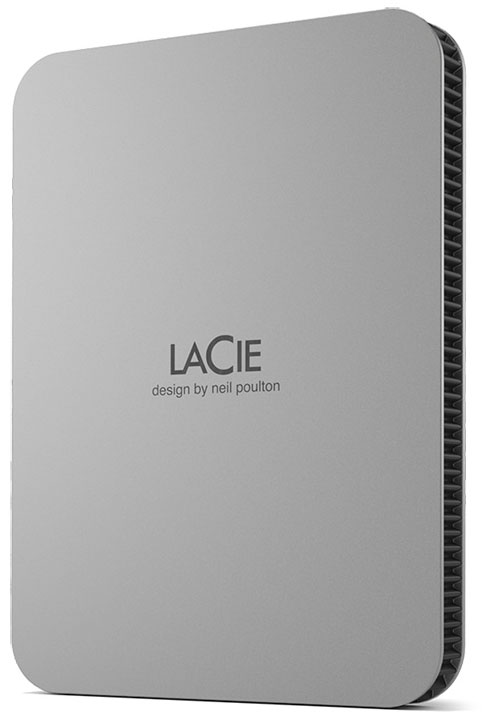
LaCie Mobile Drive USB-C Moon Silver LaCie Mobile Drive is the nexus of portability and capacity. Encased in a sleek Neil Poulton design, each drive is constructed using post-consumer recycled materials. Work with PC, Mac, and iPad USB-C, just plug-in and go. One-click or automatic backup makes file storage extra smooth, plus up to 5 TB of capacity makes plenty of room for photos, playlists, docs and more. Features Works with PC, Mac, and iPad USB-C out of the boxBack up files with a single click or schedule automatic backupsDrive case and packaging is constructed using post-consumer recycled aluminium, plastic and packing materialsFeatures a sleek and portable design by neil poultonEnjoy long-term peace of mind with the included three-year limited warranty and three-yr Rescue Data Recovery ServicesTake advantage of a complimentary one-month membership to the Adobe Creative Cloud All Apps Plan for access to awesome photo and video editing appsGrab fast USB-C 130 MB/s file transfers, backups and image browsing5 TB of capacity for collecting photos, playlists, docs and more System requirements Interface: USB 3.2 Gen 1 (up to 5 Gb/s) USB-CWorks With USB-C host: USB4, USB 3.0, Thunderbolt 4, Thunderbolt 3Compatible with most Windows and macOS systemsMinimum free disk space: 600 MB recommended
LaCie Mobile Drive USB-C Moon Silver LaCie Mobile Drive is the nexus of portability and capacity. Encased in a sleek Neil Poulton design, each drive is constructed using post-consumer recycled materials. Work with PC, Mac, and iPad USB-C, just plug-in and go. One-click or automatic backup makes file storage extra smooth, plus up to 5 TB of capacity makes plenty of room for photos, playlists, docs and more. Features Works with PC, Mac, and iPad USB-C out of the boxBack up files with a single click or schedule automatic backupsDrive case and packaging is constructed using post-consumer recycled aluminium, plastic and packing materialsFeatures a sleek and portable design by neil poultonEnjoy long-term peace of mind with the included three-year limited warranty and three-yr Rescue Data Recovery ServicesTake advantage of a complimentary one-month membership to the Adobe Creative Cloud All Apps Plan for access to awesome photo and video editing appsGrab fast USB-C 130 MB/s file transfers, backups and image browsing5 TB of capacity for collecting photos, playlists, docs and more System requirements Interface: USB 3.2 Gen 1 (up to 5 Gb/s) USB-CWorks With USB-C host: USB4, USB 3.0, Thunderbolt 4, Thunderbolt 3Compatible with most Windows and macOS systemsMinimum free disk space: 600 MB recommended

Lexar CFexpress PRO Type A Gold 4.0 Series For professional creators who want to capture high-resolution images and cinema-quality 8K video, look no further than the Lexar Professional CFexpress Type A Card GOLD Series. With superior performance of read speed up to 900 MB/s, write speed up to 800 MB/s, and Video Performance Grade 400 (VPG 400), capture with confidence so you never miss a frame.Technical data80GBDimensions (W x H x D) (mm): 20 x 28 x 2,8Maximum Temperature: 85Memory Card Type: CFexpress Type-AMinimum Temperature: -40Storage Capacity: 80GBStorage Speed Class: VPG400Storage Flash Type: Type-A, PCI-Express 3.0Devices: Camera / 8K video, Camera / 4K videoRead Transfer Rate: 900Write Transfer Rate: 800160GBDimensions (W x H x D) (mm): 38,5 x 29,8 x 3,8Maximum Temperature: 85Memory Card Type: CFexpress Type-AMinimum Temperature: -40Storage Capacity: 160GBStorage Speed Class: VPG400Storage Flash Type: Type-A, PCI-Express 3.0Devices: Camera / 8K video, Camera / 4K videoRead Transfer Rate: 900Write Transfer Rate: 800320GBDimensions (W x H x D) (mm): 20 x 28 x 2,8Maximum Temperature: 85Memory Card Type: CFexpress Type-AMinimum Temperature: -40Storage Capacity: 320GBStorage Speed Class: VPG400Storage Flash Type: Type-A, PCI-Express 3.0Devices: Camera / 8K video, Camera / 4K videoRead Transfer Rate: 900Write Transfer Rate: 800640GBDimensions (W x H x D) (mm): 20 x 28 x 2,8Maximum Temperature: 85Memory Card Type: CFexpress Type-AMinimum Temperature: -40Storage Capacity: 640GBStorage Speed Class: VPG400Storage Flash Type: Type-ADevices: Camera / 8K video, Camera / 4K videoBus Speed: PCIe 4.0 x2Read Transfer Rate: 1800Write Transfer Rate: 16501TBDimensions (W x H x D) (mm): 20 x 28 x 2,8Maximum Temperature: 85Memory Card Type: CFexpress Type-AMinimum Temperature: -40Storage Capacity: 1TBSpeed Class: VPG400Storage Flash Type: Type-ADevices: Camera / 8K video, Camera / 4K videoBus Speed: PCIe 4.0 x2Read Transfer Rate: 1800Write Transfer Rate: 1650

Lexar CFexpress PRO Type A Gold 4.0 Series For professional creators who want to capture high-resolution images and cinema-quality 8K video, look no further than the Lexar Professional CFexpress Type A Card GOLD Series. With superior performance of read speed up to 900 MB/s, write speed up to 800 MB/s, and Video Performance Grade 400 (VPG 400), capture with confidence so you never miss a frame.Technical data80GBDimensions (W x H x D) (mm): 20 x 28 x 2,8Maximum Temperature: 85Memory Card Type: CFexpress Type-AMinimum Temperature: -40Storage Capacity: 80GBStorage Speed Class: VPG400Storage Flash Type: Type-A, PCI-Express 3.0Devices: Camera / 8K video, Camera / 4K videoRead Transfer Rate: 900Write Transfer Rate: 800160GBDimensions (W x H x D) (mm): 38,5 x 29,8 x 3,8Maximum Temperature: 85Memory Card Type: CFexpress Type-AMinimum Temperature: -40Storage Capacity: 160GBStorage Speed Class: VPG400Storage Flash Type: Type-A, PCI-Express 3.0Devices: Camera / 8K video, Camera / 4K videoRead Transfer Rate: 900Write Transfer Rate: 800320GBDimensions (W x H x D) (mm): 20 x 28 x 2,8Maximum Temperature: 85Memory Card Type: CFexpress Type-AMinimum Temperature: -40Storage Capacity: 320GBStorage Speed Class: VPG400Storage Flash Type: Type-A, PCI-Express 3.0Devices: Camera / 8K video, Camera / 4K videoRead Transfer Rate: 900Write Transfer Rate: 800640GBDimensions (W x H x D) (mm): 20 x 28 x 2,8Maximum Temperature: 85Memory Card Type: CFexpress Type-AMinimum Temperature: -40Storage Capacity: 640GBStorage Speed Class: VPG400Storage Flash Type: Type-ADevices: Camera / 8K video, Camera / 4K videoBus Speed: PCIe 4.0 x2Read Transfer Rate: 1800Write Transfer Rate: 16501TBDimensions (W x H x D) (mm): 20 x 28 x 2,8Maximum Temperature: 85Memory Card Type: CFexpress Type-AMinimum Temperature: -40Storage Capacity: 1TBSpeed Class: VPG400Storage Flash Type: Type-ADevices: Camera / 8K video, Camera / 4K videoBus Speed: PCIe 4.0 x2Read Transfer Rate: 1800Write Transfer Rate: 1650

Lexar CFexpress 4.0 Pro Gold R3600/W3300Experience the CFexpress 4.0 advantage and capture 8K raw cinema-quality video with the Professional GOLD CFexpress 4.0 Type B Memory Card from Lexar, which delivers read speeds of up to 3600 MB/s, write speeds of up to 3300 MB/s, and sustained write speeds of 3000 MB/s, all of which help to expedite post-production.Technical dataCapacity: 512GB, 1TB, 2TB, 4TBPerformance: 600MB/s max read, 3300MB/s max write, 3000MB/s sustained write (up to 3600MB/s read transfer, write speeds lower. Speeds based on internal testing. Actual speed may vary depending on host device)Form Factor: CFexpress™ 4.0 Type BInterface: PCIe Gen 4Operating Temperature: - 12° to 72°CStorage Temperature: - 25° to 85°CDimensions (W x L x H): 29.6mm x 38.5mm x 3.8mmWeight: 7.8g

Lexar CFexpress 4.0 Pro Gold R3600/W3300Experience the CFexpress 4.0 advantage and capture 8K raw cinema-quality video with the Professional GOLD CFexpress 4.0 Type B Memory Card from Lexar, which delivers read speeds of up to 3600 MB/s, write speeds of up to 3300 MB/s, and sustained write speeds of 3000 MB/s, all of which help to expedite post-production.Technical dataCapacity: 512GB, 1TB, 2TB, 4TBPerformance: 600MB/s max read, 3300MB/s max write, 3000MB/s sustained write (up to 3600MB/s read transfer, write speeds lower. Speeds based on internal testing. Actual speed may vary depending on host device)Form Factor: CFexpress™ 4.0 Type BInterface: PCIe Gen 4Operating Temperature: - 12° to 72°CStorage Temperature: - 25° to 85°CDimensions (W x L x H): 29.6mm x 38.5mm x 3.8mmWeight: 7.8g

Lexar CFexpress 4.0 Pro Gold R3600/W3300Experience the CFexpress 4.0 advantage and capture 8K raw cinema-quality video with the Professional GOLD CFexpress 4.0 Type B Memory Card from Lexar, which delivers read speeds of up to 3600 MB/s, write speeds of up to 3300 MB/s, and sustained write speeds of 3000 MB/s, all of which help to expedite post-production.Technical dataCapacity: 512GB, 1TB, 2TB, 4TBPerformance: 600MB/s max read, 3300MB/s max write, 3000MB/s sustained write (up to 3600MB/s read transfer, write speeds lower. Speeds based on internal testing. Actual speed may vary depending on host device)Form Factor: CFexpress™ 4.0 Type BInterface: PCIe Gen 4Operating Temperature: - 12° to 72°CStorage Temperature: - 25° to 85°CDimensions (W x L x H): 29.6mm x 38.5mm x 3.8mmWeight: 7.8g

Lexar CFexpress 4.0 Pro Gold R3600/W3300Experience the CFexpress 4.0 advantage and capture 8K raw cinema-quality video with the Professional GOLD CFexpress 4.0 Type B Memory Card from Lexar, which delivers read speeds of up to 3600 MB/s, write speeds of up to 3300 MB/s, and sustained write speeds of 3000 MB/s, all of which help to expedite post-production.Technical dataCapacity: 512GB, 1TB, 2TB, 4TBPerformance: 600MB/s max read, 3300MB/s max write, 3000MB/s sustained write (up to 3600MB/s read transfer, write speeds lower. Speeds based on internal testing. Actual speed may vary depending on host device)Form Factor: CFexpress™ 4.0 Type BInterface: PCIe Gen 4Operating Temperature: - 12° to 72°CStorage Temperature: - 25° to 85°CDimensions (W x L x H): 29.6mm x 38.5mm x 3.8mmWeight: 7.8g
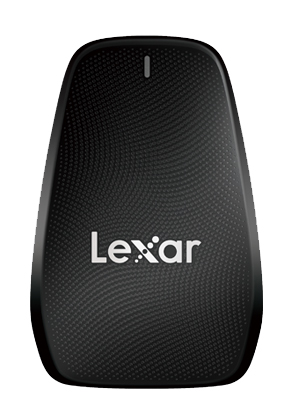
Lexar Professional CFexpress Type B USB 3.2 Gen 2x2 Reader Seamlessly transfer files on the go with the LexarProfessional CFexpress Type B USB 3.2 Reader. This professional-level reader offloads a large number of high-quality images and RAW 8K video from your CFexpress Type B card to your computer at USB 3.2 Gen 2x2 speeds with ease, supercharging your workflow from location to post-production. This compact reader leverages USB 3.2 Gen 2x2 technology, and is optimized for use with Lexar CFexpress Type B card. This reader facilitates a seamless transfer of tremendous amount of large files, and helps to ease through post-production. This makes the CFexpress Type B USB 3.2 Reader the perfect choice for professional photographers and videographers looking for a seamless workflow from the field to post-production.
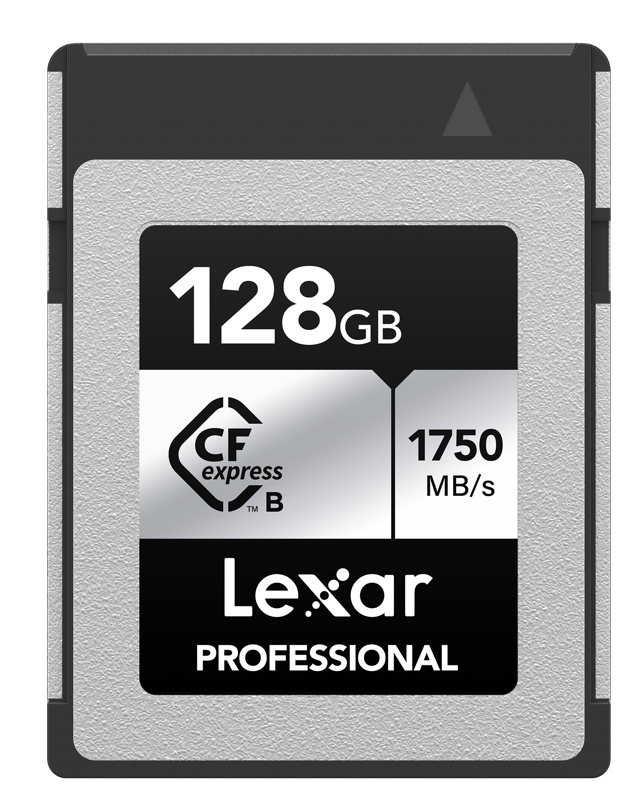
Lexar Professional CFexpress Type B SILVER The Lexar Professional CFexpress Type B Card SILVER Series is for photographers and videographers who want to capture high-quality images and seamless 4K video with fast transfer speeds of up to 1000MB/s read. Designed to leverage the capabilities of next generation cinema cameras, DSLRs, and mirrorless cameras, the card is also backwards-compatible XQD cameras. Compatible with firmware enabled CFexpress camerasWarning: CFexpress Type B cards are only compatible with devices that support the CFexpress format. Highest transfer speed achieved only when used with an CFexpress Type-B reader, indicated by a boxed USB logo on the product. Technical data Form Factor: CFexpress Type BInterface: PCIe Gen3x2Operating Temperature: -10° C to 70° CStorage Temperature: -25 °C to 85 °CDimension (L x W x H): 29.60 x 38.50 x 3.80 mmWeight: 7.65 g

Lexar Professional CFexpress Type B SILVER The Lexar Professional CFexpress Type B Card SILVER Series is for photographers and videographers who want to capture high-quality images and seamless 4K video with fast transfer speeds of up to 1000MB/s read. Designed to leverage the capabilities of next generation cinema cameras, DSLRs, and mirrorless cameras, the card is also backwards-compatible XQD cameras. Compatible with firmware enabled CFexpress camerasWarning: CFexpress Type B cards are only compatible with devices that support the CFexpress format. Highest transfer speed achieved only when used with an CFexpress Type-B reader, indicated by a boxed USB logo on the product. Technical data Form Factor: CFexpress Type BInterface: PCIe Gen3x2Operating Temperature: -10° C to 70° CStorage Temperature: -25 °C to 85 °CDimension (L x W x H): 29.60 x 38.50 x 3.80 mmWeight: 7.65 g
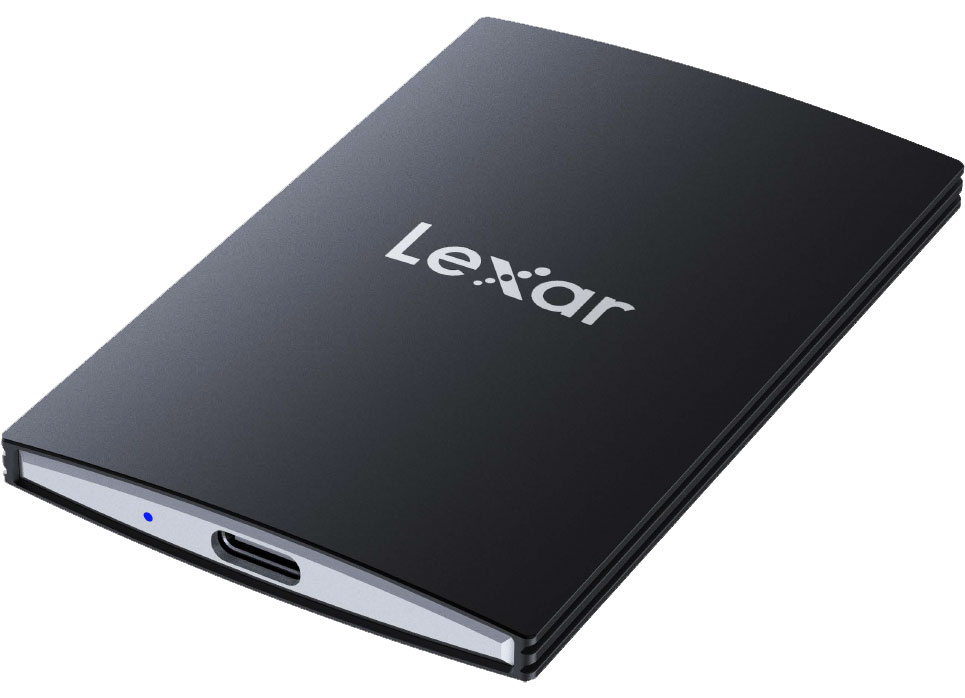
Lexar SL500 Portable SSDThe Lexar SL500 Portable SSD delivers exceptional 2000MB/s read and 1800MB/s write to store and transfer large files fast. It features a super-slim, solid aluminum unibody construction that easily fits in the palm of your hand. It also comes with Lexar DataShield 256-bit AES encryption software to keep your files secure and is compatible with most computers, cameras, and gaming devices. Capacity: 1TB, 2TB, 4TBInterface: USB 3.2 Gen 2x2Speed: up to 2000MB/s read, up to 1800MB/s write1Operating Temperature: 0°C to 50°CStorage Temperature: -40°C to 85°CModule Size: 85mm x 54mm x 7.8mm (The thinnest part is 4.8mm)Weight: 43gWarranty: Five-year limited warranty
Lexar SL500 Portable SSDThe Lexar SL500 Portable SSD delivers exceptional 2000MB/s read and 1800MB/s write to store and transfer large files fast. It features a super-slim, solid aluminum unibody construction that easily fits in the palm of your hand. It also comes with Lexar DataShield 256-bit AES encryption software to keep your files secure and is compatible with most computers, cameras, and gaming devices. Capacity: 1TB, 2TB, 4TBInterface: USB 3.2 Gen 2x2Speed: up to 2000MB/s read, up to 1800MB/s write1Operating Temperature: 0°C to 50°CStorage Temperature: -40°C to 85°CModule Size: 85mm x 54mm x 7.8mm (The thinnest part is 4.8mm)Weight: 43gWarranty: Five-year limited warranty
Lexar SL500 Portable SSDThe Lexar SL500 Portable SSD delivers exceptional 2000MB/s read and 1800MB/s write to store and transfer large files fast. It features a super-slim, solid aluminum unibody construction that easily fits in the palm of your hand. It also comes with Lexar DataShield 256-bit AES encryption software to keep your files secure and is compatible with most computers, cameras, and gaming devices. Capacity: 1TB, 2TB, 4TBInterface: USB 3.2 Gen 2x2Speed: up to 2000MB/s read, up to 1800MB/s write1Operating Temperature: 0°C to 50°CStorage Temperature: -40°C to 85°CModule Size: 85mm x 54mm x 7.8mm (The thinnest part is 4.8mm)Weight: 43gWarranty: Five-year limited warranty
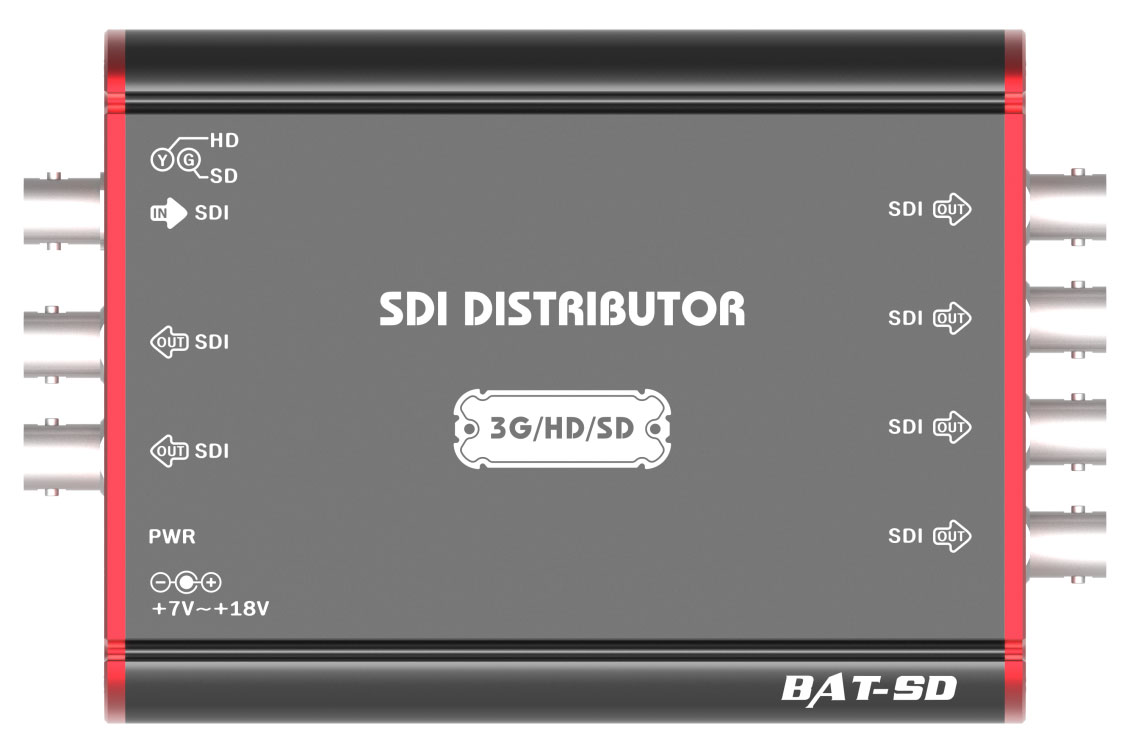
Lumantek BAT DistributorBAT Converters offer high-quality signal with the lowest jitter. Enjoy long SDI signal reach with low noise. There are four models of BAT Converters from which you can choose depending on your needs.BAT converters featuresAudio Versatility - Audio sampling rates are converted to 48 KHz. (16~192 KHz to 48 KHz)Wide Range Power Input -You can use any power ranging from 7v ~ 15v. Gives you more freedom in electrical power voltageSignal Strength Longevity - BAT Converters stretch SDI signals up to 200m long allowing more distance between the input source and the decoderLow Power Consumption -The power consumption of BAT Converters is very efficient. All BAT series converters consume less than 3 watts of power while operatingGlobal Power Adaptor - All ez-Converters come with AC/DC power adaptor. With three different types of replaceable plugs, make your work easy wherever you are. With its size of a mini converter, the BAT Distributor can take in 1 video source and multiply it by 6 output channels. It functions with SD/HD/3G-SDI resolutions with 2 watts of power consumption. BAT Distributor features1 to 6 Video Distribution - With BAT Distributor, you can multiply your video 6 times. This configuration is perfect when you need to send the same video signal to many monitorsRe-Clocking and Amplification - Video signals going through BAT Distributor are amplified and sent out. Meaning, the signals can reach further cable distances from where the BAT Distributor is positionedLow Power Consumption - BAT Distributor operates with 2 watts of power making the maximum heat produced to be 50 degrees Celcius.
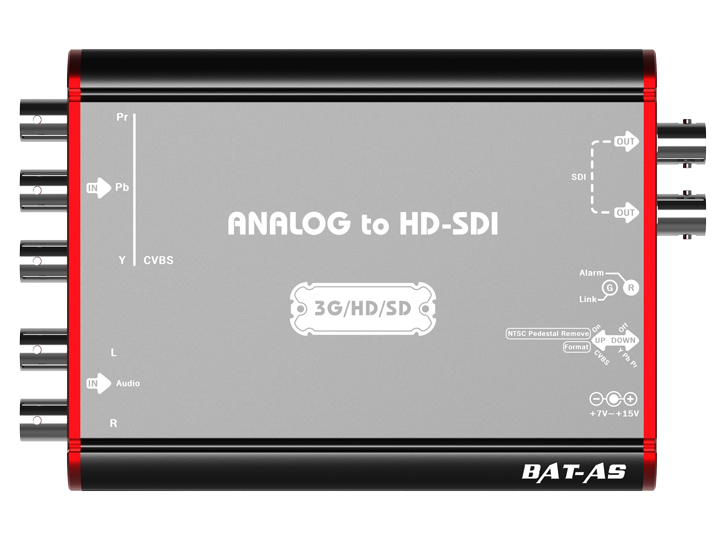
Lumantek BAT-AS BAT Converters offer high-quality signal with the lowest jitter. Enjoy long SDI signal reach with low noise. There are four models of Lumantek BAT Converters from which you can choose depending on your needs. Audio Versatility Audio sampling rates are converted to 48 KHz. (16~192 KHz to 48 KHz) Wide Range Power Input You can use any power ranging from 7v ~ 15v. Gives you more freedom in electrical power voltage. Signal Strength Longevity BAT Converters stretch SDI signals up to 200m long allowing more distance between the input source and the decoder. Low Power Consumption The power consumption of BAT Converters is very efficient. All BAT series converters consume less than 3 watts of power while operating.
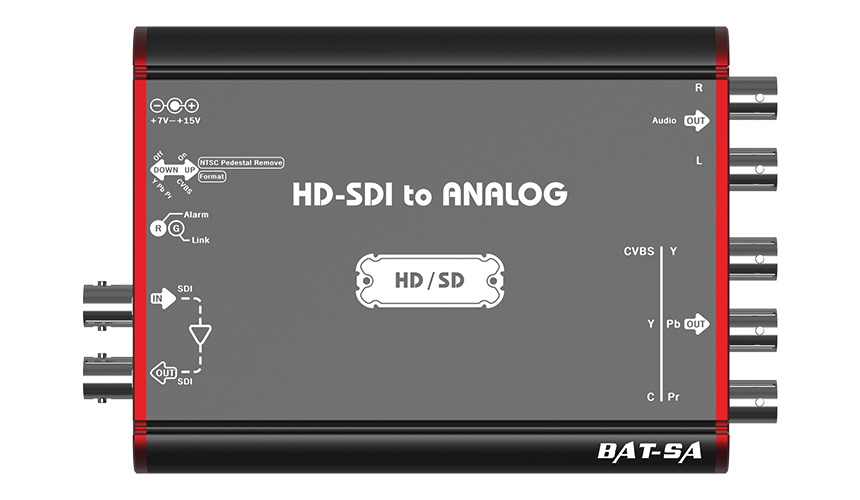
Lumantek BAT-SA BAT Converters offer high-quality signal with the lowest jitter. Enjoy long SDI signal reach with low noise. There are four models of Lumantek BAT Converters from which you can choose depending on your needs. Audio Versatility Audio sampling rates are converted to 48 KHz. (16~192 KHz to 48 KHz) Wide Range Power Input You can use any power ranging from 7v ~ 15v. Gives you more freedom in electrical power voltage. Signal Strength Longevity BAT Converters stretch SDI signals up to 200m long allowing more distance between the input source and the decoder. Low Power Consumption The power consumption of BAT Converters is very efficient. All BAT series converters consume less than 3 watts of power while operating.
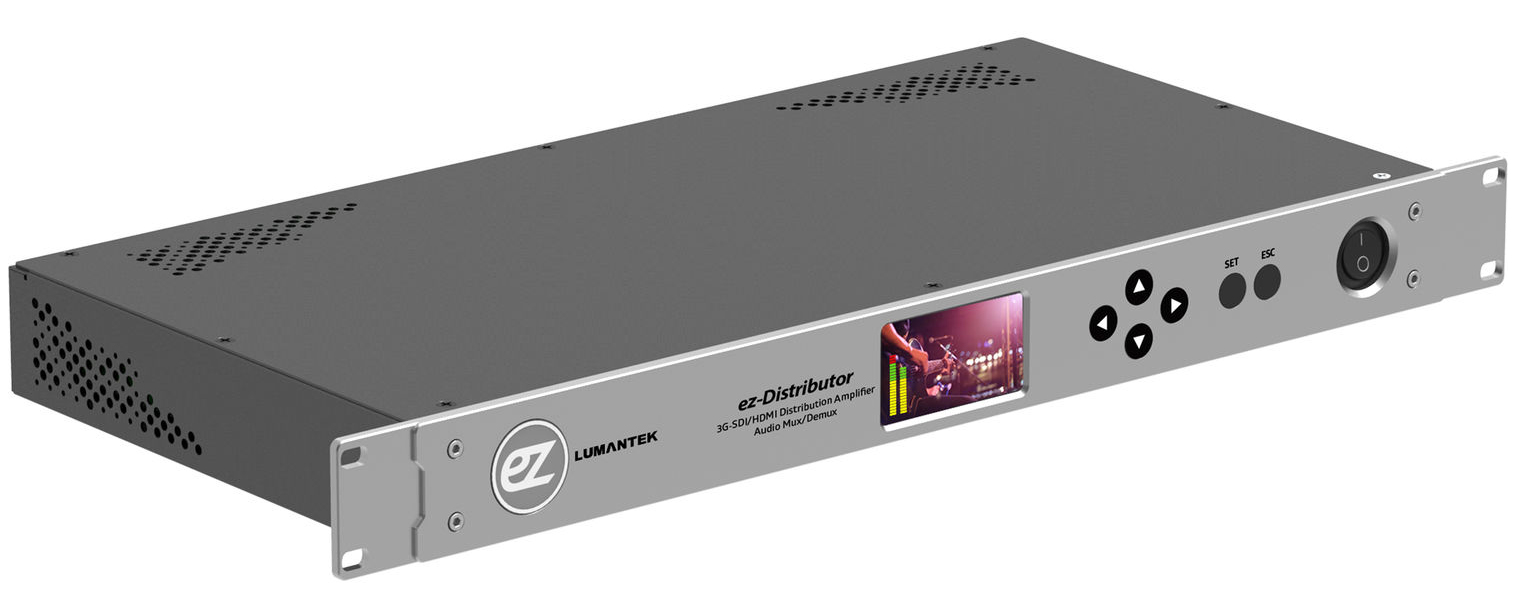
Lumantek ez-Distributor LUMANTEK's ez-Distributor is a 14 channels distributor in 1RU size. It has 1 x HDMI and 1 x 3G-SDI input, and 2 x HDMI outputs and 12 x 3G-SDI outputs. You can embed external audio and de-embed incoming video audio. With the LCD screen, it is very easy to monitor what is being played through the distributor.You have plenty of distribution ports with ez-Distributor. From 1 x 3G-SDI or 1 x HDMI, you can produce 12 x 3G-SDI and 2 x HDMI signals!If you wish to add an external audio to the video which is being distributed, don't worry. ez-Distributor, has a pair of XLR port for you to input a different audio. You can also take the sound out of the video.It is easy to check what is being played on the LCD screen. You can also check the audio bar on the screen to find out if the sound is played. Input Ports Video: 1 x 3G-SDI 1 x HDMI 1.3 Audio: 1 pair x XLR External Audio Output Ports Video: 12 x 3G-SDI 2 x HDMI 1.3 Audio: 1 pair x XLR De-embedded Audio
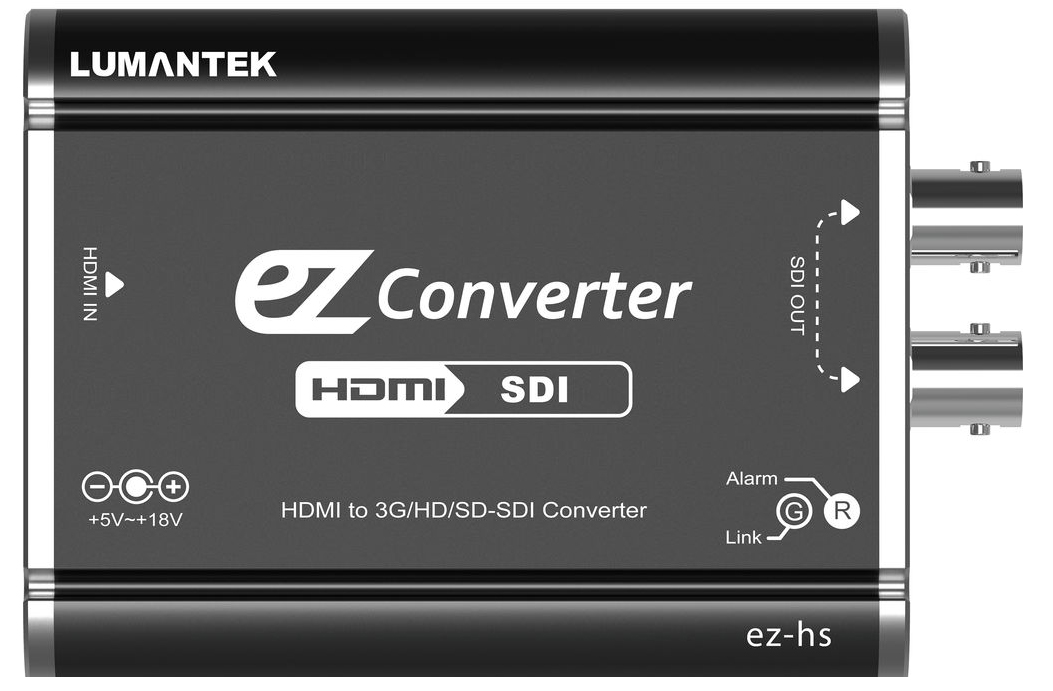
Lumantek ez-hs Lumantek ez-Converters are designed to produce low heat and consume less than 2 watts of power. They are compact sized, and yet, can deal with resolutions ranging from 480i to 1080p60. There are two models of ez-Converters from which you can choose depending on your need. You can use any power ranging from 5v ~ 18v. Using ez-Converters gives you more freedom in electrical voltage connection. ez-Converters receive and send out video signals from SD to Full HD (1080p60) resolutions. 2 watts of electrical power is used during operation. Thus, producing low heat.
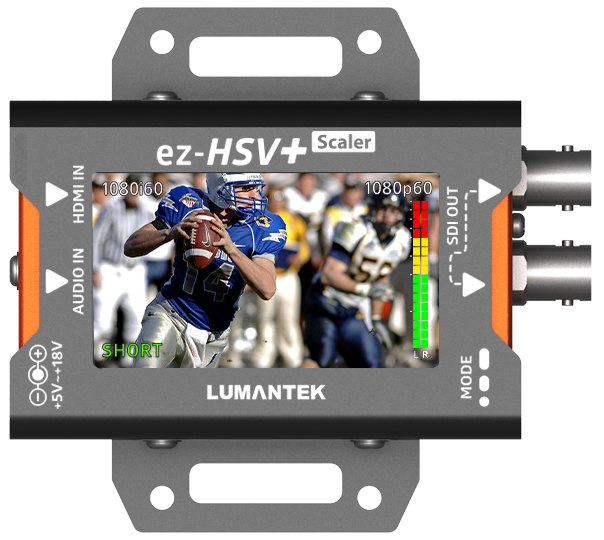
Lumantek EZ-HSV+ Now you can monitor HDMI video with Lumantek EZ-HSV+. Features you can check are audio bar, incoming resolution and scaled out resolution. The ez-HSV+ comes with the capability to embed external audio as well to give you a more convenient way to plan your production scheme. Through the 2.7 inch TFT LCD screen, you can monitor the incoming video and in/output source resolution. You can also check the sound through the audio level meter on the screen. No more worries with audio! The Maximum power consumption of ez-HSV+ is less than 3 watts. Acceptable voltage ranges from 5v ~ 18v giving the user more flexibility in connecting power. You can also use a power bank to use this coverter. Input ports: 1 x HDMIOutput ports: 2 x SDI OUT
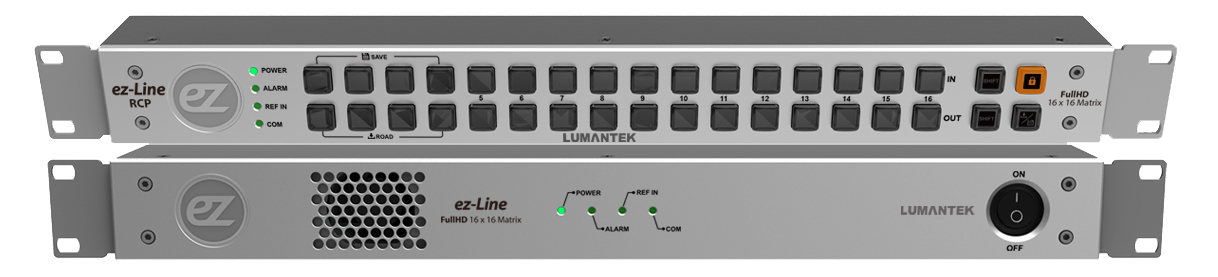
Lumantek ez-Line Router VM16 ez-Line Router VM16 is a 16 x 16 router supporting SD/HD/3G SDI signals. Being able to send sharp and clear signals, the Lumantek VM16 can be a splitter and a selector. ez-Line VM16 has a few ways to control. One of the controllers is the RCP unit. You can install this unit along with the router to distribute your 16 signals to appropriate ports. Software Control Another function that ez-Line Router VM16 provides is the ability to control through computer software. The user can connect the router to a PC using an Ethernet cable and control through a software. SDK & API for your application If you need to modify the control to your needs, then LUMANTEK will provide SDK & API for you. Create your own commands to control ez-Line VM16. Technical data InputSDI Video Input: SD/HD/3G-SDI (BNC 75Ω) x16Reference Input: B.B , TRI (BNC 75Ω ) x1OutputHD-SDI: SD/HD/3G-SDI (BNC 75Ω) x16ConnectionsRemote Control: RS-422 (RJ45)x1Ethernet: Ethernet Support (RJ45)x1Update : Debug (Micro-USB)x1ElectronicalPower Input : 100~240VAC @ 50/60HzPower Consumption: 18W(max.)PhysicalOperation Temperature: 0~40℃Dimension: 44(H) X 483(W) X 240(D) mmWeight: 2.0 kg
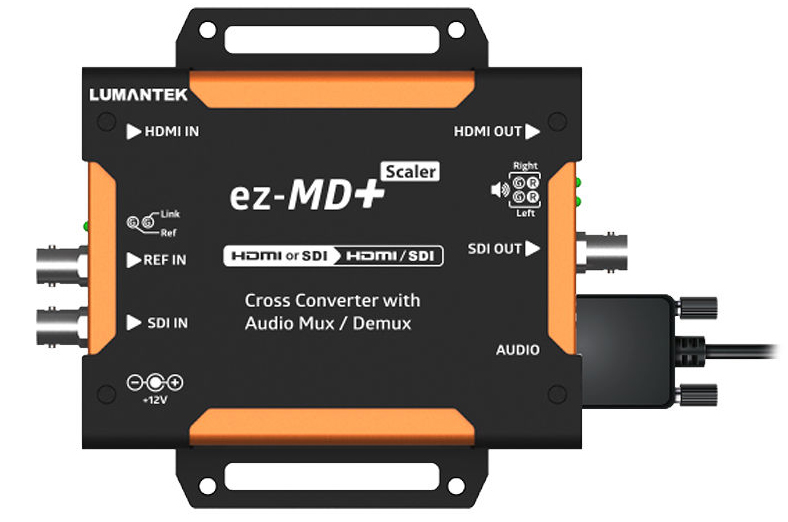
Lumantek EZ-MD+ LUMANTEK’s ez-MD+ is a compact cross-converter for HDMI to SDI or SDI to HDMI. The genlock system allows synchronizing of signals to combine unpaired output signals. It supports XLR balanced audio support with audio delay controller. LUMANTEK’s ez-MD+ is a compact Cross-Converter for HDMI to SDI or SDI to HDMI. ez-MD+ can change the resolution of the incoming video to any resolution ranging from 480i to 1080p60. You can also change the video displaying ratio. You can choose from either 16:9 (Full) or 4:3 (Pillar Box) screen ratio to fit your requirement. All these functions are controlled by 'dip switch'. Audio embedding/De-embedding with external XLR Audio 9 pin serial port to XLR * 4 is complimentary. Audio Delay control Use the rotary switch to control the audio delay of the video source (50ms Step). Frame Synchronization There is a “Free Running”, “Input Lock”, and “Genlock” mode to synchronize your video signal. Genlock system ensures proper synchronizing of the signals when aligning the source with external signal.
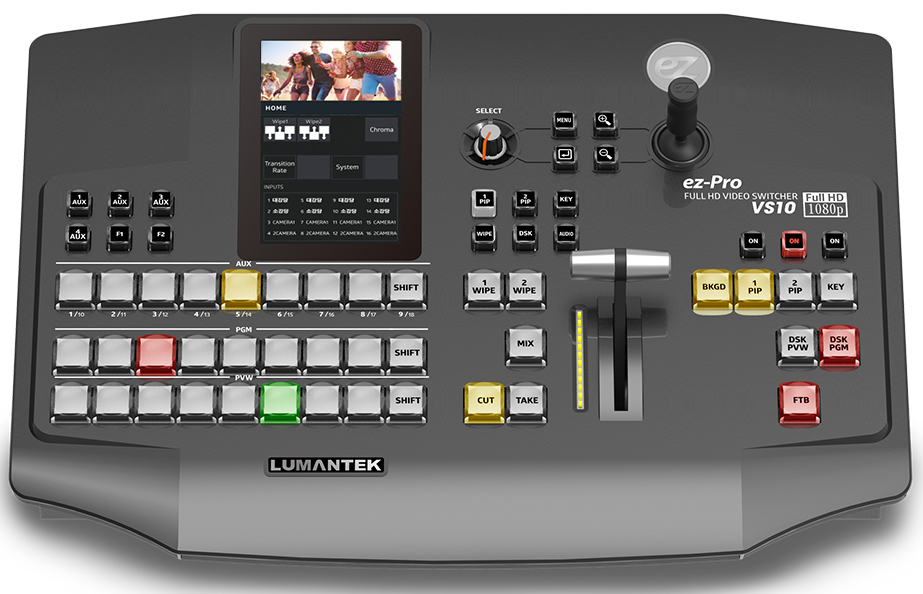
Lumantek ez-Pro VS10 LUMANTEK gives you another switcher good for live events but with more ports than before. More screens to monitor in a single switcher with a larger touch screen to control. You can choose from many layouts to show the multiview screen. You can move them as you want and name as you want. Configure your own layout through our utility (Win OS or Mac OS), save it on a USB disk, and plug it into VS10 to load your layout. Perfect harmony with ez-CGER mini for live titling and graphics! All ez-Pro VS10 SDI inputs can take in Fill & Key signals. Connect LUMANTEK’s “ez-CGER mini” with ez-Pro VS10 and broadcast your video with Live Titling and Graphics! Intuitive LCD Touchscreen and Joy-stick control All key menu or functions can be adjusted with touchscreen smoothly and extremely easily operated with rotary switch or Joy stick. All 10 inputs built in in Scaler ez-Pro VS10 comes with internal scalers in all input ports. Adjust freely using our touch screen menu. Twice the Basic Features ez-Pro VS10 has 2 Picture in Picture (PIP) capabilities, 1 Still Image which covers the whole screen, and Luma and Chroma Keyer. You can mix both features and key out the PIP and assimilate a hand language translator PIP. Quiet Fan for your comfort LUMANTEK carefully calibrated the fan noise to provide more comfort to its users while enabling the switcher to operate at its maximum performance. Any ports are Fill & Key VS10 allows to set any SDI input ports as Fill or Key. Transfer with USB disk It is easy to transfer your settings to VS10. Use the VS10 Utility software to save settings into your USB disk. Then plug the USB into VS10 to transfer settings, media, and new firmware.
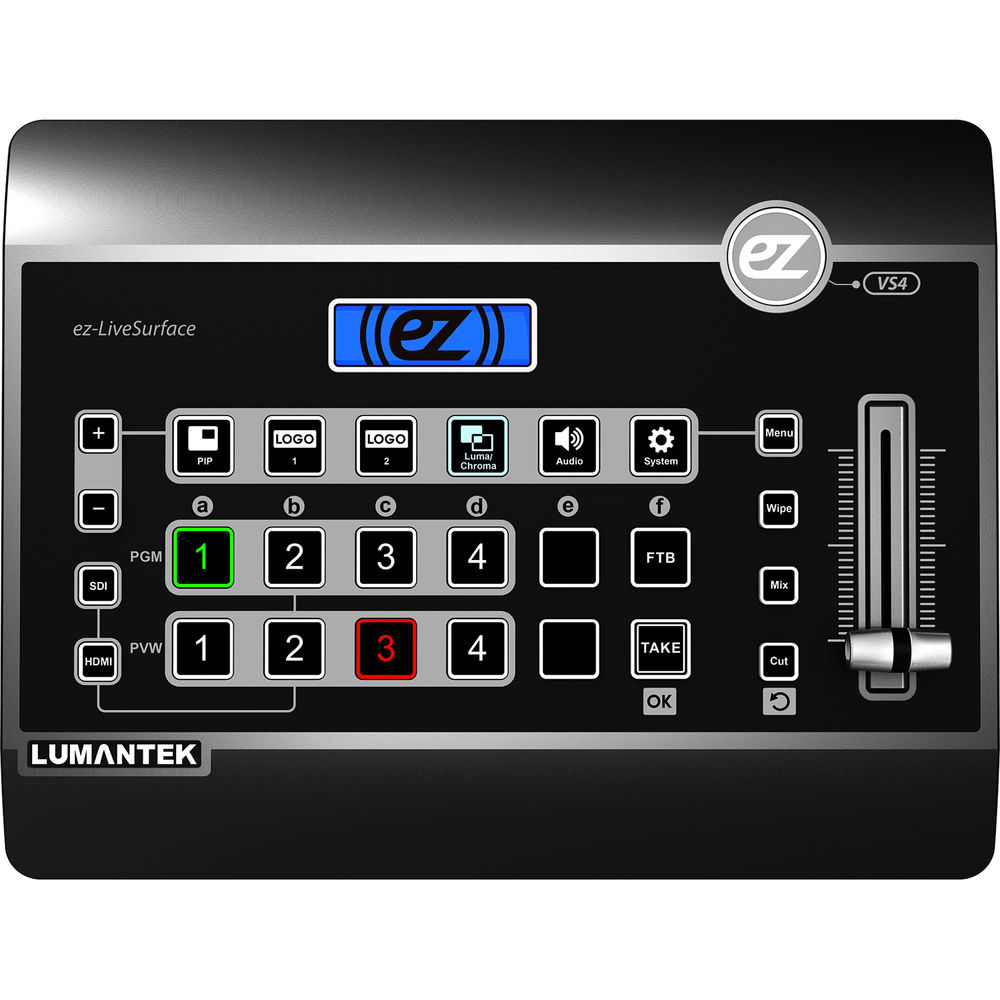
Lumantek ez-Pro VS4 Lumantek ez-Pro VS4 is a 4 channels video switcher. It has 3 x HDMI, 1 x SDI , and 1 x HDMI/SDI interchangeable ports for inputs. You can monitor videos through 1 x HDMI Multiview, and display Program output through either 1 x HDMI and/or 1 x SDI. ez-Pro VS4 also receives TS type 6.35mm (1/4") Balanced External Audio ports, and sends out audio through 3.5mm Stereo port. ez-Pro VS4 is fit for houses of worship, educational activities, wedding, events, theater, and live concerts. With its user-friendly interface and comfortable keys, you can easily master its functions in no time. Luma and Chroma Key Use the Luma and Chroma Key to insert a transparent background video over another. With a simple push of a button, activate the Luma/Chroma feature of ez-Pro VS4. You can look like a pro with ez-Pro VS4. Audio Input / Output Audio embedding and de-embedding is possible with ez-Pro VS4. Contol the sound as you want with our audio mixer function on the menu. Picture in Picture and Logos Present a video input while displaying another with Picture in Picture (PIP). You can insert up to 2 logos in ez-Pro VS4. Use any images and upload into the video switcher. Internal Scalers in All Inputs ez-Pro VS4 has internal scalers in all input ports providing the easiest way to video switch with many videos of different resolutions. Do not worry about matching resolutions any longer. ez-Pro VS4 makes all "ez"! Input Ports Video: 3 x HDMI 1 x SDI 1 x HDMI/SDI interchangeable Audio: TS type 6.35mm (1/4") Balanced External Audio Output Ports Video: 1 x HDMI (Multiview) 1 x HDMI (Program) 1 x SDI (Program) Audio: 3.5mm Stereo port.